Website gamification is not about turning a homepage into a game. It is about adding useful progress, feedback, rewards, and choice to a normal product flow. When it works, the user understands what to do next. When it fails, the site becomes louder and less trustworthy.
The clean version is simple: start with a real user action, add a reason to continue, then measure whether people complete the task with less friction. Badges come later. Sometimes never.
What website gamification means
Gamification means using game mechanics in a non-game context. On a website, that usually means progress indicators, streaks, points, levels, challenges, status, unlocks, feedback, or small rewards attached to a product action.
The mechanic is not the strategy. A progress bar can make onboarding clearer. The same progress bar can also pressure users into finishing setup they do not understand. The difference is whether the pattern supports the user goal.
For product and UX teams, the better question is not “how do we make this fun?” It is “what action already matters, and what feedback would make that action easier to continue?”
Patterns that can work
| Pattern | Best use | Risk |
|---|
| Progress bars | Onboarding, profile completion, long setup flows | Can feel manipulative when completion is not useful |
| Checklists | First-run experience, workspace setup, account activation | Can become busywork if every task is treated equally |
| Levels or milestones | Learning products, community contribution, complex tools | Can hide the real value behind status games |
| Rewards | Referral loops, habit formation, loyalty products | Can train users to chase reward instead of value |
| Leaderboards | Competitive communities or sales/team contexts | Can demotivate new users or quieter users |
| Instant feedback | Forms, quizzes, calculators, creative tools | Can become distracting if every action triggers animation |
Progress bars
- Best use
- Onboarding, profile completion, long setup flows
- Risk
- Can feel manipulative when completion is not useful
Checklists
- Best use
- First-run experience, workspace setup, account activation
- Risk
- Can become busywork if every task is treated equally
Levels or milestones
- Best use
- Learning products, community contribution, complex tools
- Risk
- Can hide the real value behind status games
Rewards
- Best use
- Referral loops, habit formation, loyalty products
- Risk
- Can train users to chase reward instead of value
Leaderboards
- Best use
- Competitive communities or sales/team contexts
- Risk
- Can demotivate new users or quieter users
Instant feedback
- Best use
- Forms, quizzes, calculators, creative tools
- Risk
- Can become distracting if every action triggers animation
The strongest patterns are usually boring. A clear checklist. A visible next step. A small confirmation when something works. These are game-like, but they do not make the interface feel childish.
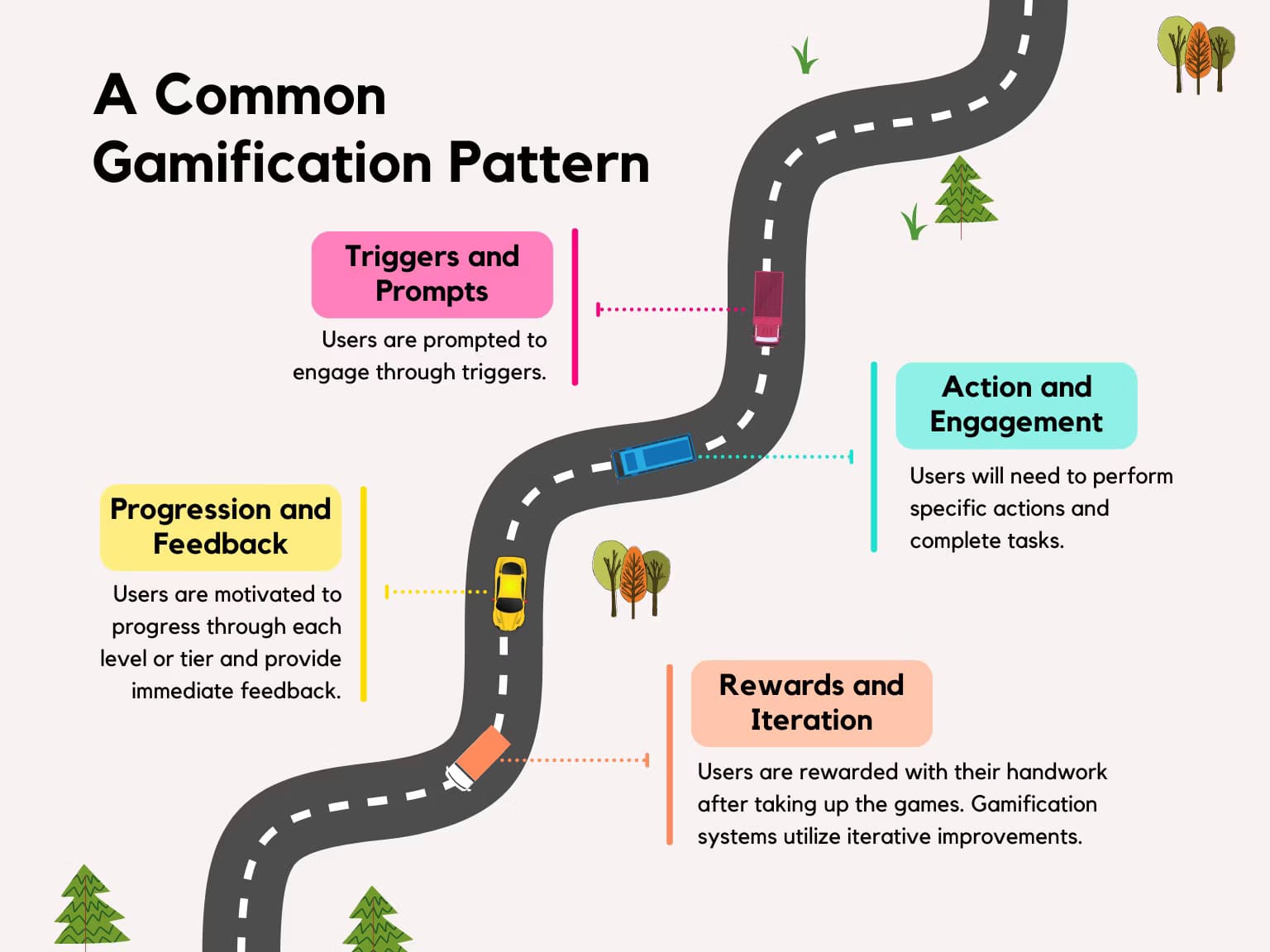
Where gamification usually breaks
Most gamification fails because the product team starts with the mechanic instead of the behavior. A site gets points, badges, and levels before anyone has answered what the user is trying to finish.
The reward is disconnected from value. Users can earn points without becoming more successful in the product.
The mechanic adds pressure. Streaks and countdowns can create anxiety when the user is making a serious decision.
The interface becomes noisy. Animations, popups, and badges compete with the actual task.
The system rewards shallow behavior. More clicks, more visits, more sharing. Not better outcomes.
Accessibility is treated as an afterthought. Motion, contrast, focus states, and keyboard flows still matter.
This matters more for SaaS, fintech, health, education, and B2B tools. A user may want motivation, but they also need control. Trust drops quickly when a serious workflow starts acting like a casino interface.
How to add it without making the site worse
Start with one product moment. Not the whole website. Good candidates are onboarding, empty states, learning flows, trial activation, community contribution, saved progress, and long forms.
Define the user action. For example: finish setup, invite a teammate, complete the first project, save a template, compare options.
Define the user reason. Why should this action matter to them, not only to the business?
Choose the smallest mechanic. A checklist may be enough. A level system is usually too much at the start.
Keep the reward honest. Reward progress toward value, not random activity.
Test the quiet version first. If a calmer version works, keep it.
How to measure gamification
Gamification should be measured like UX work, not like decoration. Google’s HEART framework is useful here because it separates engagement from adoption, retention, task success, and user happiness. A mechanic that increases clicks but lowers task success is not working.
| Question | Metric to watch |
|---|
| Do users understand what to do next? | Task completion, error rate, support questions |
| Do new users reach value faster? | Activation rate, time to first meaningful action |
| Do users come back for the right reason? | Retention, repeat use of the core feature |
| Does the mechanic feel acceptable? | Survey response, qualitative feedback, opt-out rate |
| Does it hurt accessibility? | Keyboard completion, motion preference handling, contrast checks |
Do users understand what to do next?
- Metric to watch
- Task completion, error rate, support questions
Do new users reach value faster?
- Metric to watch
- Activation rate, time to first meaningful action
Do users come back for the right reason?
- Metric to watch
- Retention, repeat use of the core feature
Does the mechanic feel acceptable?
- Metric to watch
- Survey response, qualitative feedback, opt-out rate
Does it hurt accessibility?
- Metric to watch
- Keyboard completion, motion preference handling, contrast checks
Run the pattern as an experiment if possible. Compare the gamified version with a simpler control. Watch for short-term lifts that disappear after novelty fades. That is common.
Related reading
For product websites, this connects closely to SaaS UI/UX, because activation and retention depend on repeated use. It also overlaps with UX frameworks when teams need a repeatable way to decide what to test first.
For brand-heavy websites, the same logic applies more carefully. The mechanic should not become the brand. It should make one interaction clearer.